

🚀 Free Beta Windows 10 & 11
Meet TaskSlinger—a task manager that finally feels modern
A fast, private, theme-rich Windows Task Manager replacement built for developers, IT professionals and power users – and right now it’s 100% free.
✓ TL;DR – Quick Summary
- ✅ What is this: A modern, lightweight Windows Task Manager alternative for power users.
- 🎨 Attractive UI: 11+ built-in themes including Dracula and all four Catpuchin variants.
- 📊 Deep Data: Per-core CPU graphs, services, startup apps, live connections, hardware information.
- 🔒 Privacy-First: Zero Telemetry – Nothing is missed from your machine.
- 💸 Price determination: Free during beta; Expect to be paid later – get it now.
If you’re the type of person who keeps task manager Pinned all day—debugging code, hunting down zombie processes, or simply keeping an eye on your rig while gaming—you’ve probably noticed that Windows’ built-in tools haven’t evolved meaningfully in years. It works, but it feels clunky, slow between tabs, and looks visually dated somewhere around the Windows 8 era.
taskslinger Sets out to fix just that. Currently in free beta, it’s a privacy-focused, performance-focused replacement for Windows Task Manager – purpose-built for developers, system admins, IT support people, and tweakers who demand more visibility into what’s actually going on on their machines. After spending real time with it, I’ll say it firsthand: this is one of the most refreshing system utilities I’ve tried in a long time.
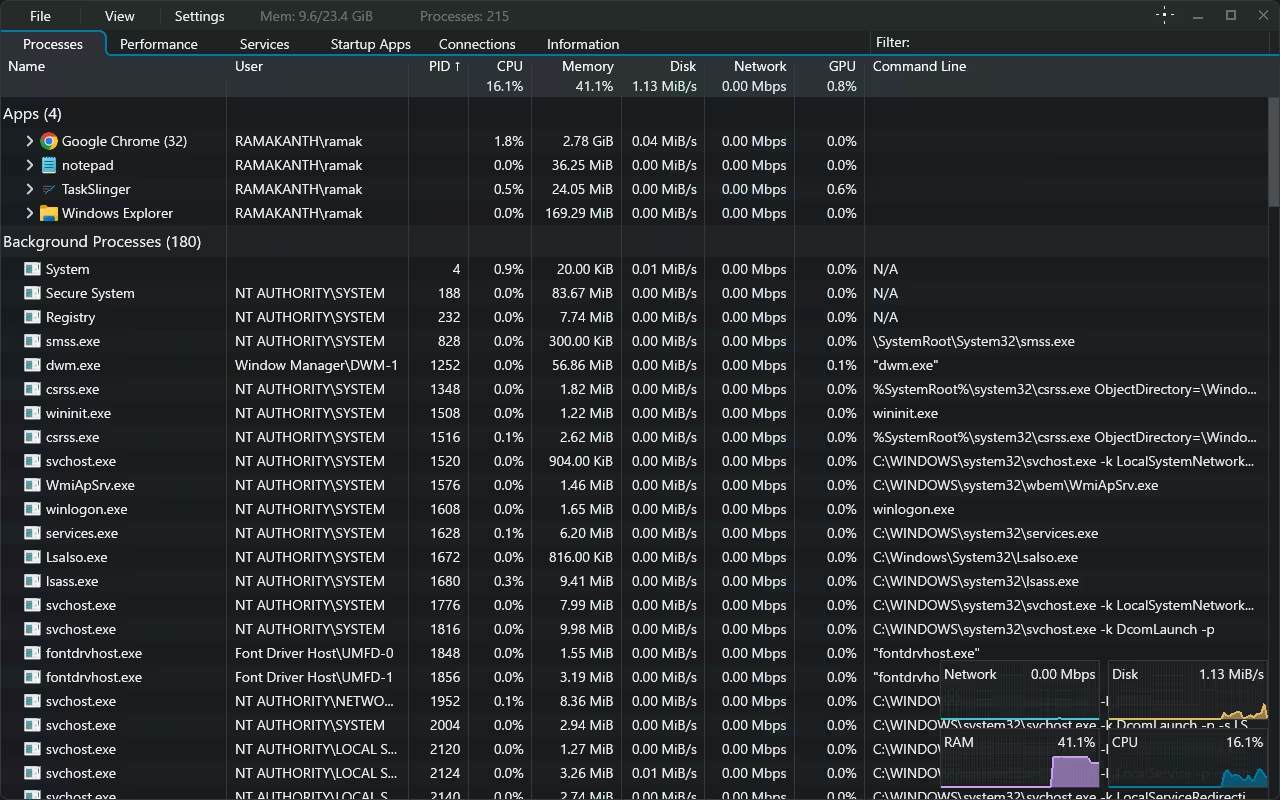
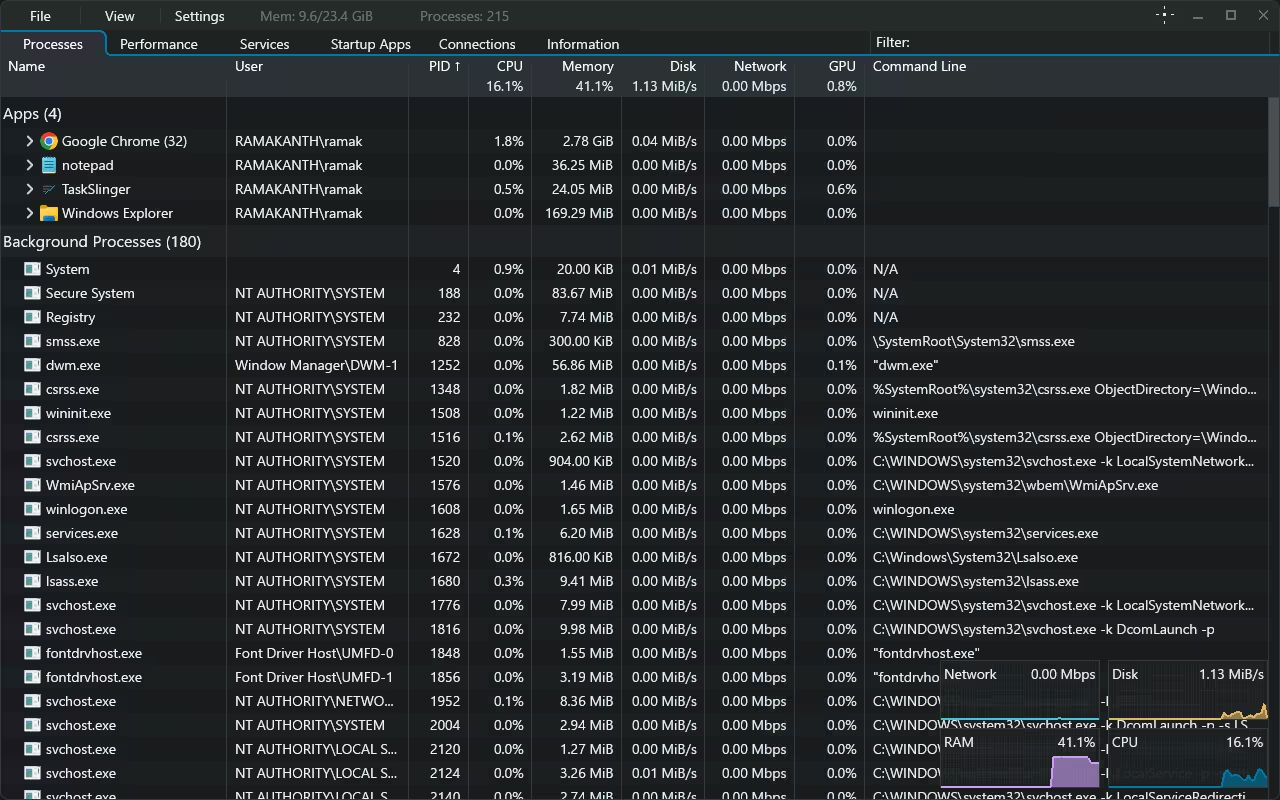
TaskSlinger main window—Process tab with floating activity overlay
What is TaskSlinger?
In short, TaskSlinger is brand new task manager Alternatives for Windows 10 and 11. It does everything the default tool does – process list, performance graphs, services, startup apps, network connections, system information – and then layers on a proper modern dark UI, custom themes, near-instant tab switching and a real-time activity overlay that keeps your CPU, RAM, disk and network charts visible even when scrolling through processes.
There’s no bloat, no install issues, and no account requirements. You can choose between a regular installer or a completely portable build that runs straight from a USB stick – useful for IT people who move between machines all day.
extraordinary features
Really fast, modern UI
The first thing you notice is how fast it feels. Tabs switch with zero perceptible lag. The interface is compact enough for advanced users but clean enough that you can actually enjoy looking at it. A compact top bar keeps memory usage, total process counts and a filter box always visible – no matter which tab you’re on.
Per-core CPU monitoring with kernel timing
The Performance tab is where TaskSlinger is really flexible. Instead of crushing each core into a cluttered graph, it gives each logical processor its own live sparkline. On my 12-thread Ryzen 5 4600H, there are 12 different charts updating in real time. You can turn the kernel time overlay on or off, and the side panel shows L1/L2/L3 cache sizes, base clocks, uptime, threads, handles, sockets, and virtualization status – exactly the kind of granularity that gamers, developers, and benchmarkers love.
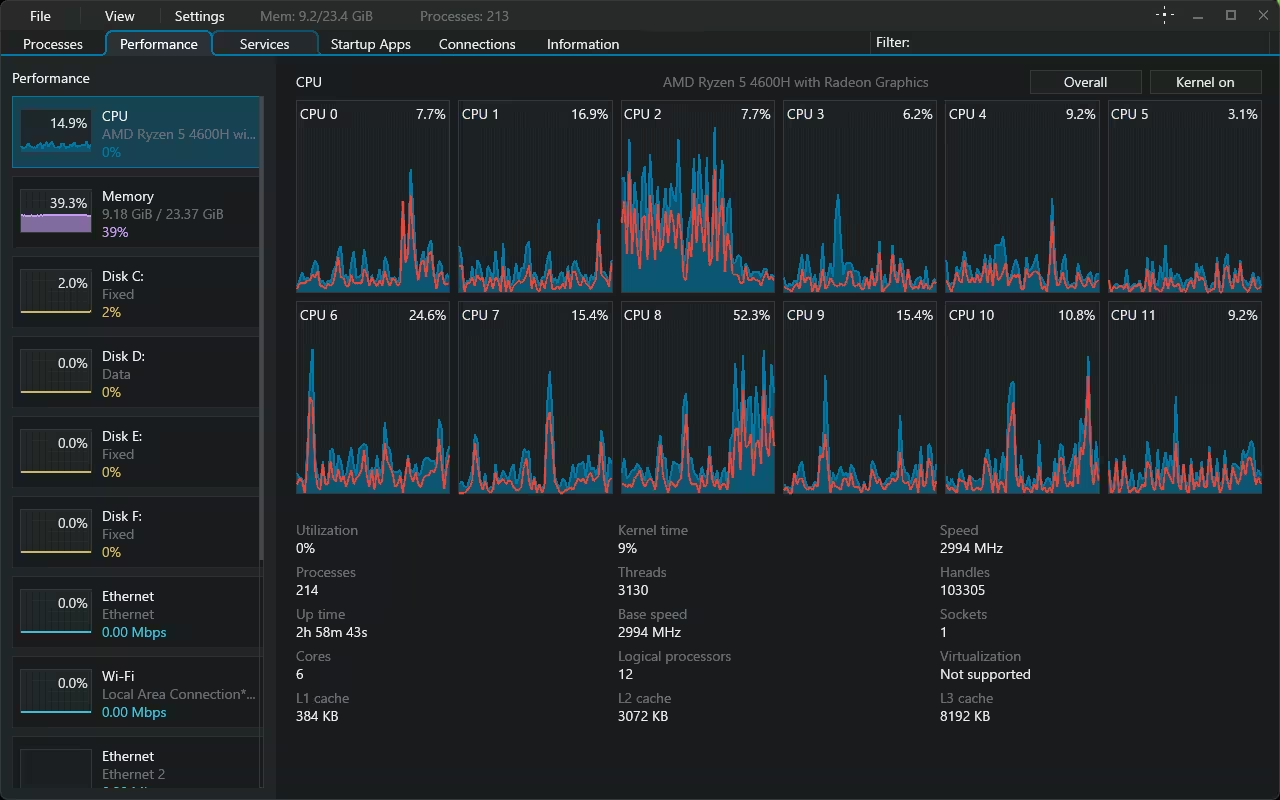
Performance tab – Per-core CPU sparklines and detailed processor information
Services, Startup Apps and Live Connection
The Services tab gives you an ordered list of every Windows service – display name, status, startup type, PID, user, and full executable path – so you can audit and tame them without ever opening them. services.msc. The view of startup apps is much deeper than what Windows shows: publisher information, registry vs. packaged types, exact run locations (HKCU run, HKLM run), and full commands for each entry. It also has a dedicated Connections tab that tracks live TCP/UDP sockets in real time – gold for sniffing out suspicious network activity or noisy background apps.
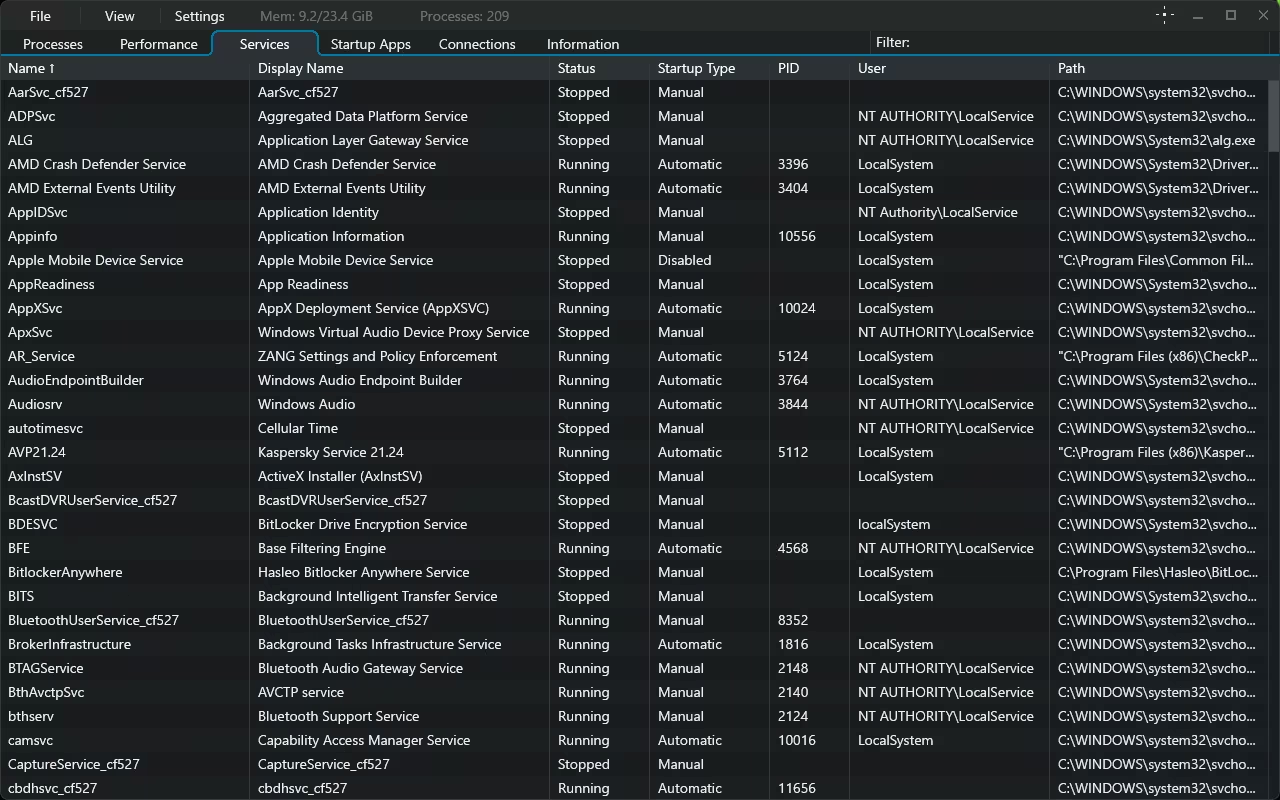
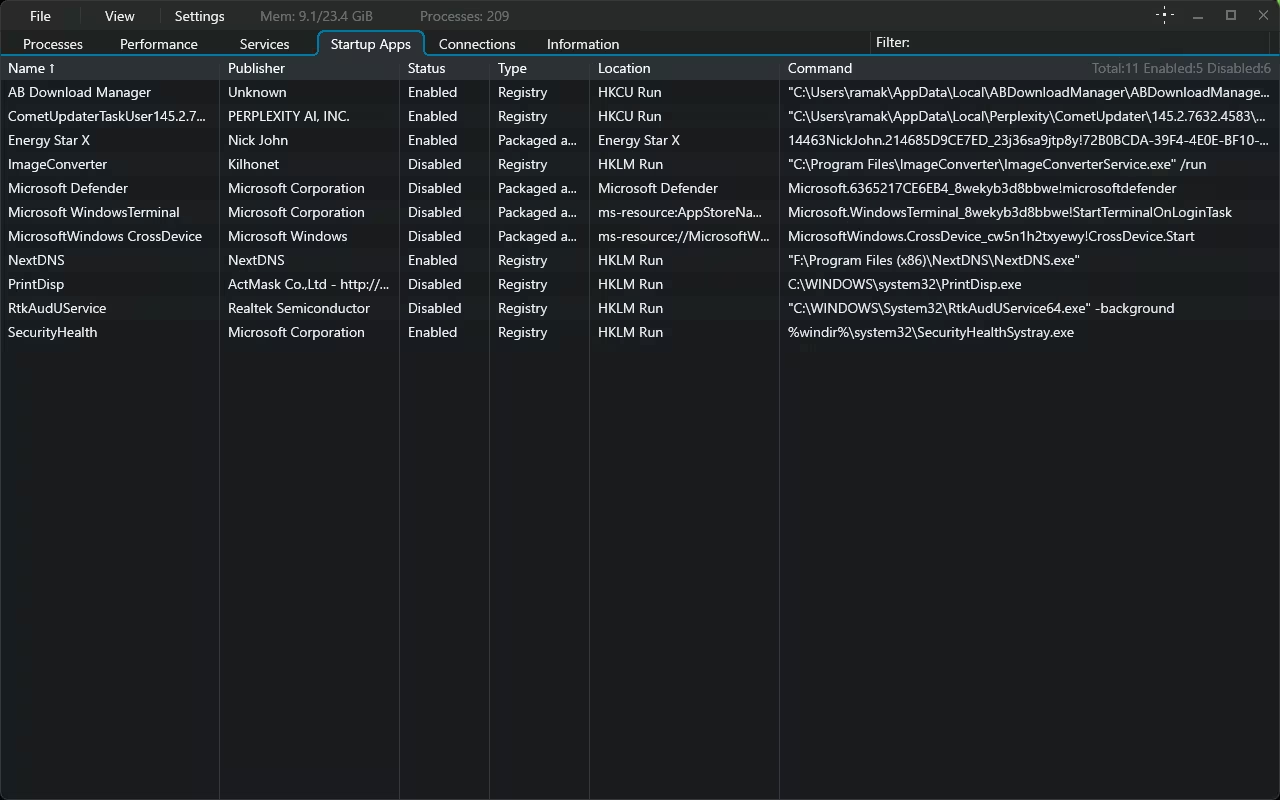
Services and Startup Apps tab – detailed control over what runs and when
Built-in hardware and system information
Go to the Information tab, and you’ll find a comprehensive hardware/software breakdown: OS build number, install date, processor identifier, BIOS firmware type, per-DIMM memory specs (manufacturer, part number, speed, and form factor), commit limits, page file size, and more. It effectively bundles a lightweight system information tool, so you can leave msinfo32 and CPU-Z for most quick checks.
Optimization that really matters
Themes are where TaskSlinger has the real fun. out of the box you get default dark, default light, golden summer field, soft pink delight, flaming nightfallall four catpuchin Flavors (latte, frappe, macchiato, and mocha), and developer favorites Dracula. There’s also an “Open theme file” option so you can roll your own. On top of that, you can dial in the UI scale, row height, refresh rate (down to 1 second) and animations to precisely match your workflow.
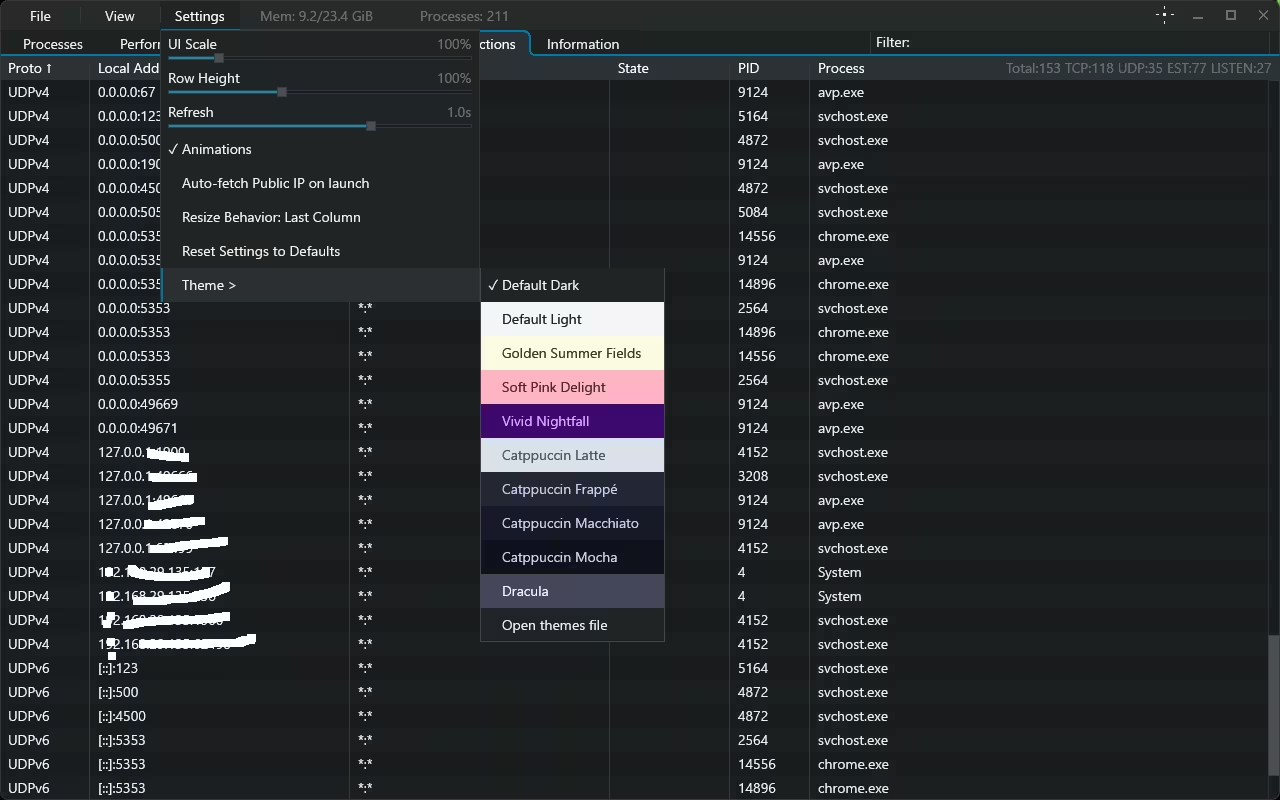
Settings menu – built-in themes including Catpuchin, Dracula and others
Privacy: a big deal here
Taskslinger collects zero telemetry. There’s nothing phoned up at home, no analytics SDK bundled, no logs streamed to a remote server, and no opt-out toggle to find because there’s nothing to opt out of. For a tool that has visibility into every process running on your machine, this is exactly the level of restraint you want from a developer. There’s also an optional “Auto-fetch public IP on launch” setting that’s off by default and clearly labeled in Settings – so you’re in complete control of what the app does, even at startup.
Who should use TaskSlinger?
- developers Those who need quick visibility into stuck processes or runaway threads.
- IT and support staff Who want a portable tool that runs from a USB drive without any admin install.
- System Optimizer and Tweaker Startups that care about apps, services, and resource hogs.
- Gamers and benchmarkers Who want per-core CPU graphs and detailed hardware details in one place.
- Any Who is tired of the stock Windows Task Manager.
Pricing and beta status
Abhi Taskslinger completely free While it is in beta. The developer has indicated that a paid release will follow after the beta ends, so this is a smart time to grab it, get familiar with the workflow, and decide whether it earns a permanent place in your toolbox. If you get the portable build now, you’ll have a copy that won’t depend on future licensing changes mid-session.
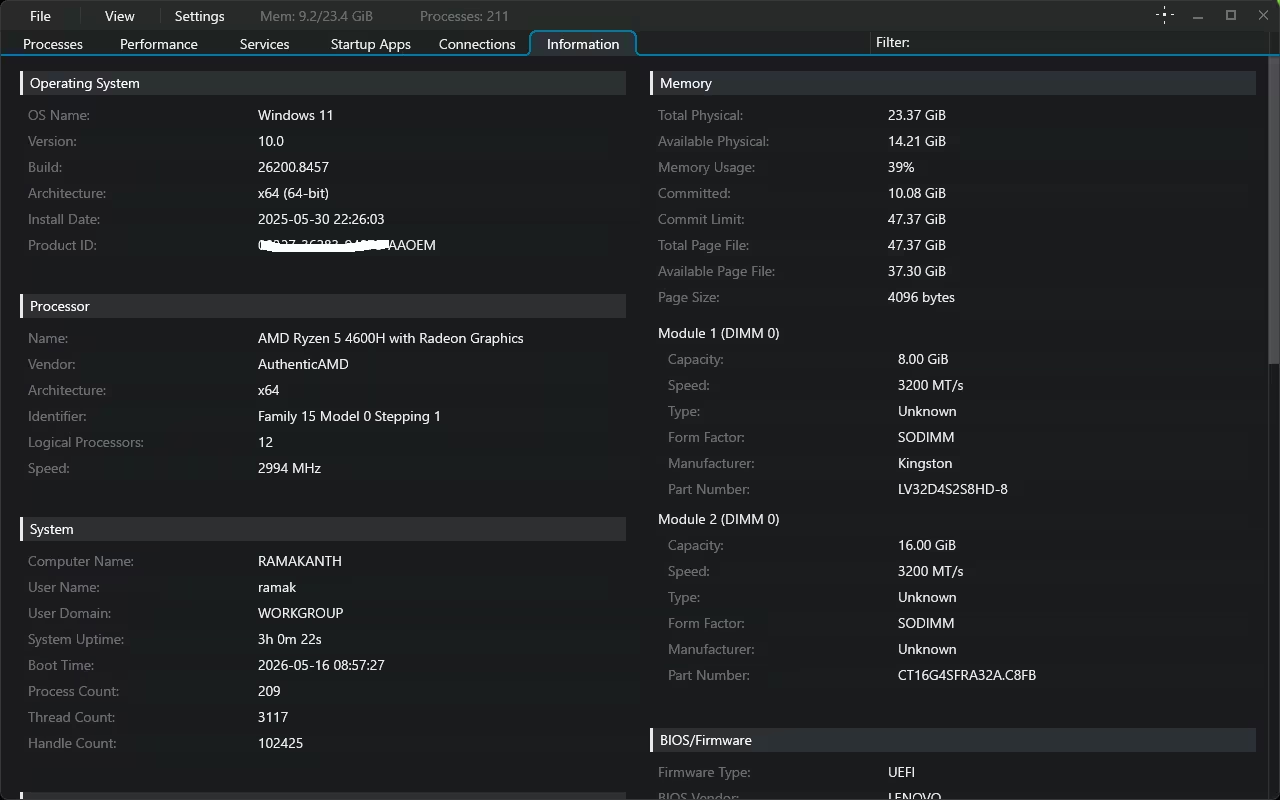
Information tab – OS, processor, memory module and BIOS details
How to download TaskSlinger
Go to official site Tasklinger.net And scroll to the bottom of the home page. You’ll find download buttons for both the installer and the portable zip build there. No account creation, no email signup, no checkout – just click and get it.
Frequently Asked Questions
Is TaskSlinger free?
Yes—TaskSlinger is completely free during its beta period. The developer has indicated that a paid version will come after the beta ends, but for now you get the entire app without any restrictions.
Does TaskSlinger collect any data?
No, TaskSlinger has zero telemetry – no analytics, no usage tracking, and no remote logging. Everything stays on your machine.
Does TaskSlinger work on Windows 10?
Yes, it runs on both Windows 10 and Windows 11. Portable builds are especially useful for older or locked-down systems where you can’t install software.
Can TaskSlinger completely replace Windows Task Manager?
For most users, yes. It covers processes, performance, services, startup apps, network connections, and system information in one place — and adds features that Task Manager doesn’t have, like per-core monitoring, themes, and adjustable refresh rates.
Is the portable version safe to run from a USB drive?
Yes. The portable build is self-contained and does not write to the Windows registry, making it ideal for IT technicians who service multiple machines or anyone working on restricted systems.
🏆Final decision
★★★★★
TaskSlinger addresses what the default Windows task manager has been lacking for a decade: speed, polish, configurability, and respect for your privacy. It’s already packed with enough features to become a daily driver, and the fact that it’s free during beta makes it an easy recommendation.
✅ Pros
- Fast, modern UI
- Per-Core CPU Monitoring
- zero telemetry
- underlying theme
- Portable construction available
- free during beta
⚠Opposition
- Payment likely to be made after beta
- Windows only (no macOS/Linux)
- Still in active beta development
Ground level: If you stay inside Task Manager, TaskSlinger is a mindless install – get the free beta until it’s finished.
Learn more from Techno360
Subscribe to get the latest posts delivered to your email.